
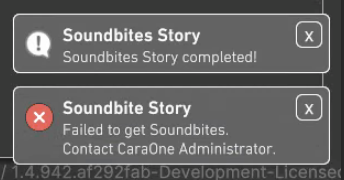
Issue: From a client, the user is getting a message of Soundbites Story failed.
1. Overview
The Soundbites Story feature depends on correct path tuple mappings in the client’s caraone.json file. These tuples translate local client filesystem paths (Windows or macOS) to the Linux backend server paths. If these mappings are incorrect or missing, the client cannot locate media files properly, causing Soundbites Story to fail returning results.
2. Location of caraone.json on Clients
Windows:
C:\Users\<username>\AppData\LocalLow\ObviousFuture\CaraOne\caraone.jsonmacOS:
/Users/<username>/Library/Application Support/ObviousFuture/CaraOne/caraone.json
3. How to Check and Edit caraone.json
Locate and open the
caraone.jsonfile on the client machine using the paths above.Open the file with a text editor (Notepad on Windows, TextEdit or VSCode on macOS).
Find the
"PathTranslationSettings"section, specifically the"Tuples"array, which looks like this:"PathTranslationSettings": { "Tuples": [ { "ServerPath": "/mnt/flash/media/video/Scale Logic/", "LocalPath": "Z:\\media\\video\\Scale Logic\\" } ] }Verify and correct the paths:
LocalPathmust exactly match the client’s local media directory.- On Windows, use double backslashes
\\or escaped backslashes in paths. - On macOS, use standard Unix-style forward slashes
/.
- On Windows, use double backslashes
ServerPathmust exactly match the Linux backend’s mounted media directory.- Use single forward slashes
/only (no double slashes//unless explicitly required). - Incorrect slashes or extra slashes in
ServerPathcan cause path resolution failures.
- Use single forward slashes
Add missing tuples if the client accesses multiple media locations.
Save the file after editing.
4. Example Tuple Entries with Context
Windows Client Example:
"VideoPlayerSettings": {
    "SkipTime": 0.1,
    "SkipTimeFast": 5.0,
    "TimelineTimestampsDistance": 60.0,
    "ThumbType": "Thumbnail"
  },
  "PathTranslationSettings": {
    "Tuples": [
      {
        "ServerPath": "/mnt/flash/media/video/Scale Logic/",   // Correct single slashes
        "LocalPath": "Z:\\media\\video\\Scale Logic\\"
      }
    ]
  },
  "PerformanceSettings": {
    "CaraOneSearchSliceCount": 100,
    "AskCaraOneSliceCount": 5
  },
macOS Client Example:
"VideoPlayerSettings": {
    "SkipTime": 0.1,
    "SkipTimeFast": 5.0,
    "TimelineTimestampsDistance": 60.0,
    "ThumbType": "Thumbnail"
  },
  "PathTranslationSettings": {
    "Tuples": [
      {
        "ServerPath": "/mnt/flash/media/video/Scale Logic/",   // Correct single slashes
        "LocalPath": "/Volumes/media/video/Scale Logic/"
      }
    ]
  },
  "PerformanceSettings": {
    "CaraOneSearchSliceCount": 100,
    "AskCaraOneSliceCount": 5
  },
5. Additional Important Sections in caraone.json
Server Section:
Contains backend server URL and proxy/thumbnail paths, e.g.:
"Server": {
  "UserID": "scalelogic",
  "EncodeBackendURI": "http://10.0.1.16:9090",
  "ProxyPath": "Z:\\media\\proxies\\scalelogic\\proxy\\",
  "ThumbnailPath": "Z:\\media\\proxies\\scalelogic\\thumbnails\\",
  "ThumbnailPathDocuments": "Z:\\media\\proxies\\scalelogic\\docimg\\",
  "IndexingTimeout": 2.0,
  "RemoteExport": false,
  "RemoteExportURL": ""
}
These paths must be accessible and correctly mapped on the client machine.
6. After Editing caraone.json
- Restart the CaraOne client application to reload the updated configuration.
- Test the Soundbites Story feature to confirm it now returns results.
7. Additional Client-Side Checks
- Ensure the client has network connectivity to the CaraOne server.
- Verify the client version is compatible with the server version.
- Check client logs for errors related to path resolution or Soundbites.
- If clients are centrally managed, confirm they receive updated
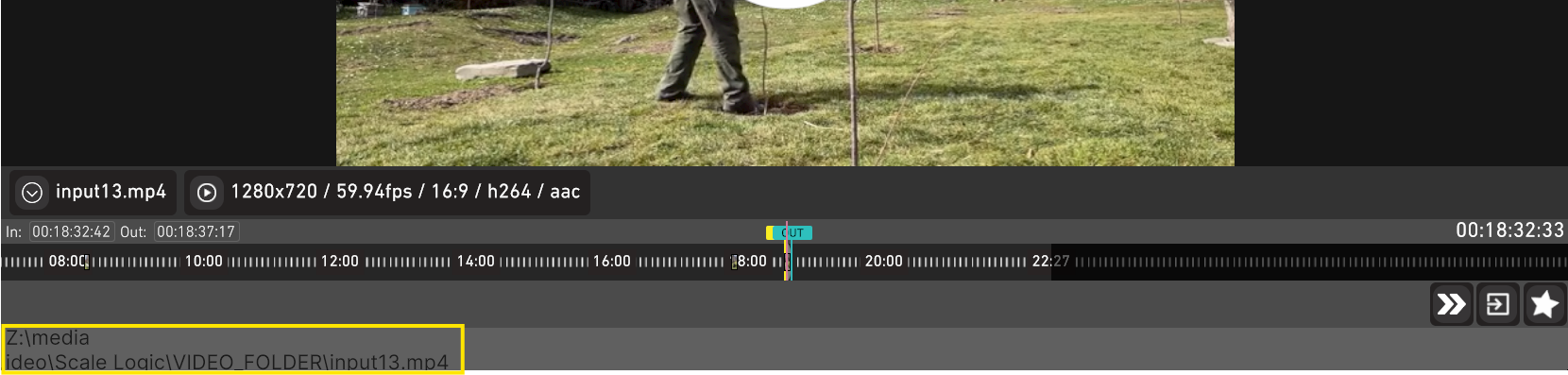
caraone.jsonfiles from the server. - Check to make sure your path in a video is correct and accessible.
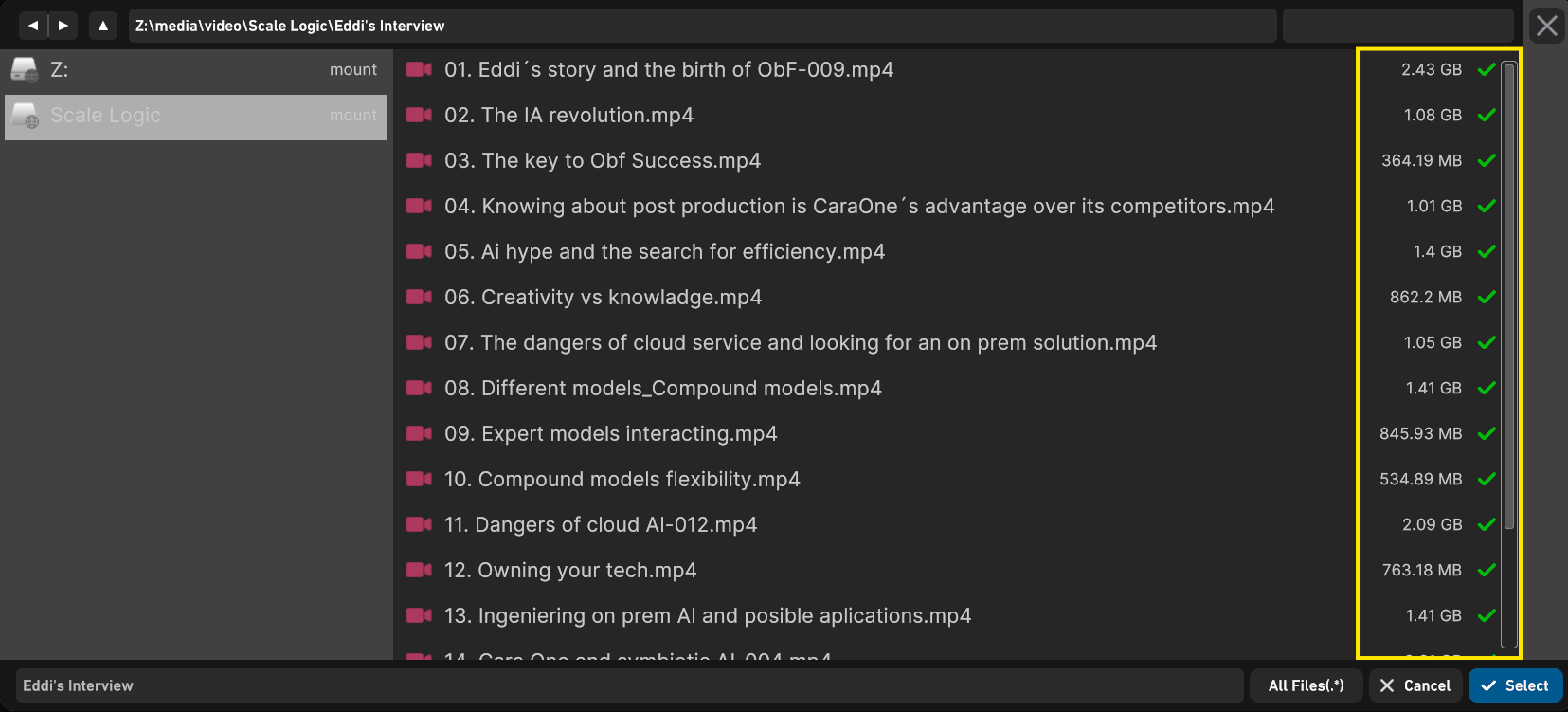
- Check to make sure your files have a green check mark indicating the files have been indexed.
Summary for Knowledgebase
The
caraone.jsonfile on clients controls path translation between local client paths and Linux server paths.The
PathTranslationSettings.Tuplessection must correctly map local media paths (LocalPath) to server mount points (ServerPath).Both
LocalPathandServerPathmust be correctly formatted:LocalPath: Windows paths use escaped backslashes\\; macOS paths use forward slashes/.ServerPath: Linux-style forward slashes/only, no double slashes//unless explicitly required.
Incorrect or missing tuples cause Soundbites Story and other features to fail fetching media.
Edit and correct this section on the client side, then restart the client app to resolve the issue.
Example tuple for Windows clients:
{
  "ServerPath": "/mnt/flash/media/video/Scale Logic/",
  "LocalPath": "Z:\\media\\video\\Scale Logic\\"
}
Example tuple for macOS clients:
{
  "ServerPath": "/mnt/flash/media/video/Scale Logic/",
  "LocalPath": "/Volumes/media/video/Scale Logic/"
}
The
caraone.jsonfile locations are:- Windows:
C:\Users\<username>\AppData\LocalLow\ObviousFuture\CaraOne\caraone.json - macOS:
/Users/<username>/Library/Application Support/ObviousFuture/CaraOne/caraone.json
- Windows: